
Reading the History tab as a journal

Every trade you have ever closed is still there, in a tab most people only open to check a balance. It holds the plain record of what you did, with no memory of what you meant to do. Sort it one way and your worst habit is sitting at the top of the list.
Opening the record
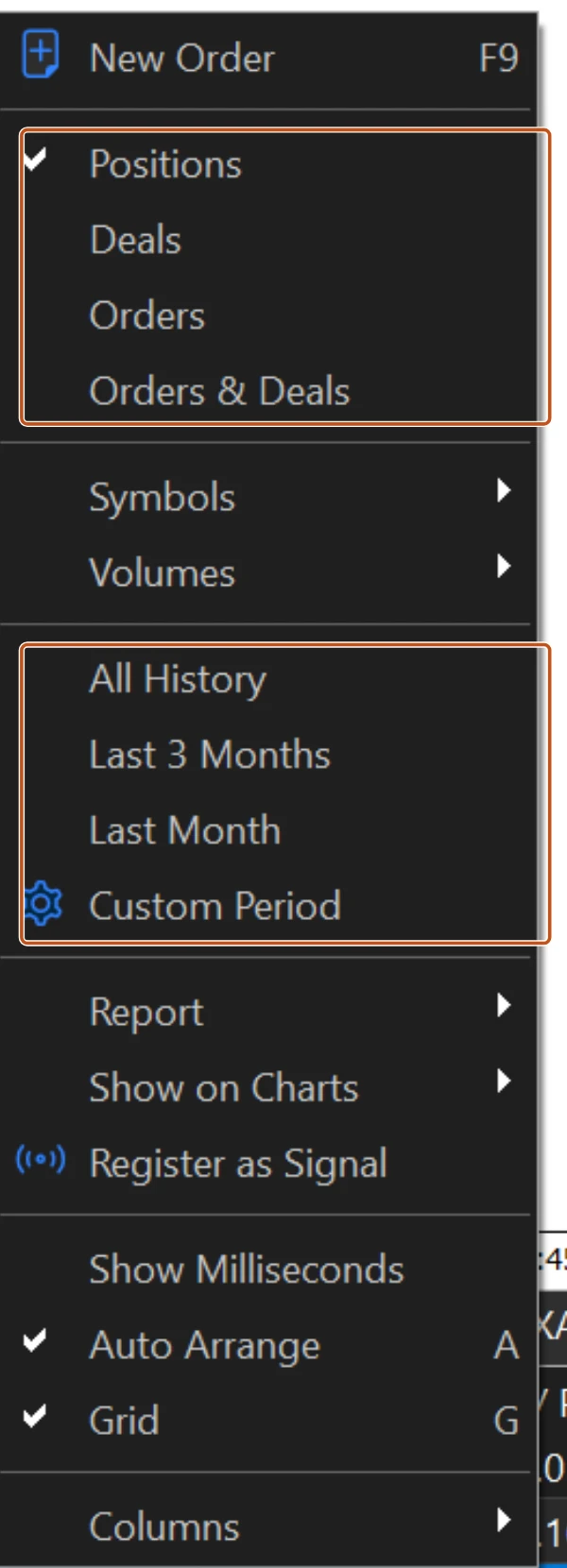
Open the Toolbox with Ctrl+T and click the History tab. By default it shows a short recent window. Right-click anywhere in the tab and pick the period: All History, Last 3 Months, Last Month, or Custom Period with a from and to date. The same right-click menu switches the view between Positions, Deals, Orders and Orders & Deals. Positions is the one to read: one row per trade, from open to close.
Each row carries the columns that matter: Time opened, Symbol, Ticket, Type, Volume, open Price, S / L, T / P, closing Time and Price, and Profit. Right-click, Columns adds the ones a fresh install may hide, such as Commission, Swap and Comment. Comment is where MT5 writes [sl], [tp] or [so] when the stop loss, the take profit or a stop out closed the trade. A blank comment means you closed it by hand.
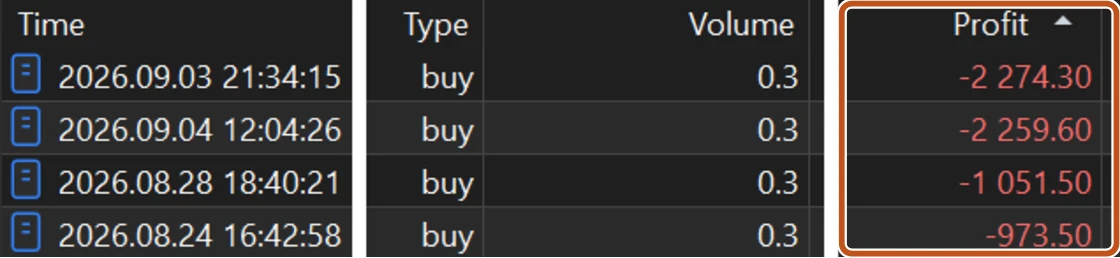
Sort by Profit, read the bottom five
Click the Profit column header once and the list sorts from the biggest loss upwards. Click again and it flips. Take the five worst rows and read across each one slowly. You are not looking at five bad trades. You are looking for the one thing they share.
| What the five worst rows share | The habit it usually names |
|---|---|
| Volume larger than your normal size | Sizing up after a loss, or after a win |
| S/L column empty, Comment blank | Trades opened without a stop and closed by hand, late |
| Open time after your session, or on a Friday evening | Trading tired, or trading to end the week green |
| Held for days when your plan says hours | Holding a loser and hoping |
| The same symbol every time | One pair you do not understand, traded anyway |
| Comment shows [so] | The account was stopped out by the broker: leverage, not the market, ended it |
A month of forty trades
- Sort by Profit. The month is down 41,000 naira across 40 trades.
- The five worst rows total 38,500 naira of loss. The other thirty-five trades, wins and losses together, net out to a loss of 2,500 naira.
- All five were 0.50 lots. The plan says 0.10. All five were opened after 9 pm.
- Change the period to Last 3 months and sort again. The same pattern shows up in each month.
Nothing about the plan was wrong for thirty-five trades. Five late-night oversized trades were the whole month. That is the habit, and it has a time of day and a lot size, which means it has a rule that can stop it.
Trading carries risk and you can lose money.
Two more columns worth totalling
Bring up Commission and Swap (right-click, Columns, if they are hidden) and read their totals for the period on the summary line at the bottom of the tab. Add the two, and you have the cost of your month before a single trade won or lost, the same two costs from the three costs. Traders who never look at these columns believe they are losing to the market when they are losing to the bill.
Right-click and choose Report to save the whole period as a file you can open in a spreadsheet. Once a week is enough. Once a month is the minimum.
What the tab cannot tell you
The History tab records what happened. It has no column for why. It cannot say whether the trade followed the plan, what you were feeling, or whether the setup was actually there. That is what the written journal from Part One adds: one line of why beside every row of what. Together they are a journal. Apart, one is a receipt and the other is a diary.

The history tab does not care what you meant. It only shows what you did. Read the bottom five rows every week, and read them before you read the top five, because the winners will not teach you anything you need this month.
The picture to keep
A gateman's logbook records who came in and when. It does not record why you let them in. Sort it by damage and the same visitor keeps appearing at the same hour.
How HustlCraft applies this
HustlCraft Companion app: The Companion app reads the same closed trades from your terminal and writes the journal for you, so the sorting and the weekly bottom-five review happen without you exporting anything. Read about HustlCraft Companion app.